
02 / LUMAYAN BAKERY
From a Local POS to a Multi-Outlet System
Lumayan Bakery Salatiga
CASE STUDY
The Starting Point
Unlike Toko Pojok Blauran, Lumayan Bakery already had a POS when the project started. The existing system was local and ran on a single computer.
When the bakery was preparing to open a second outlet, the main need was to see stock and transactions from both outlets without being tied to a single local computer.
The challenge was not the absence of a POS. It was the need to turn a local system into a connected multi-outlet operation.
CASE STUDY
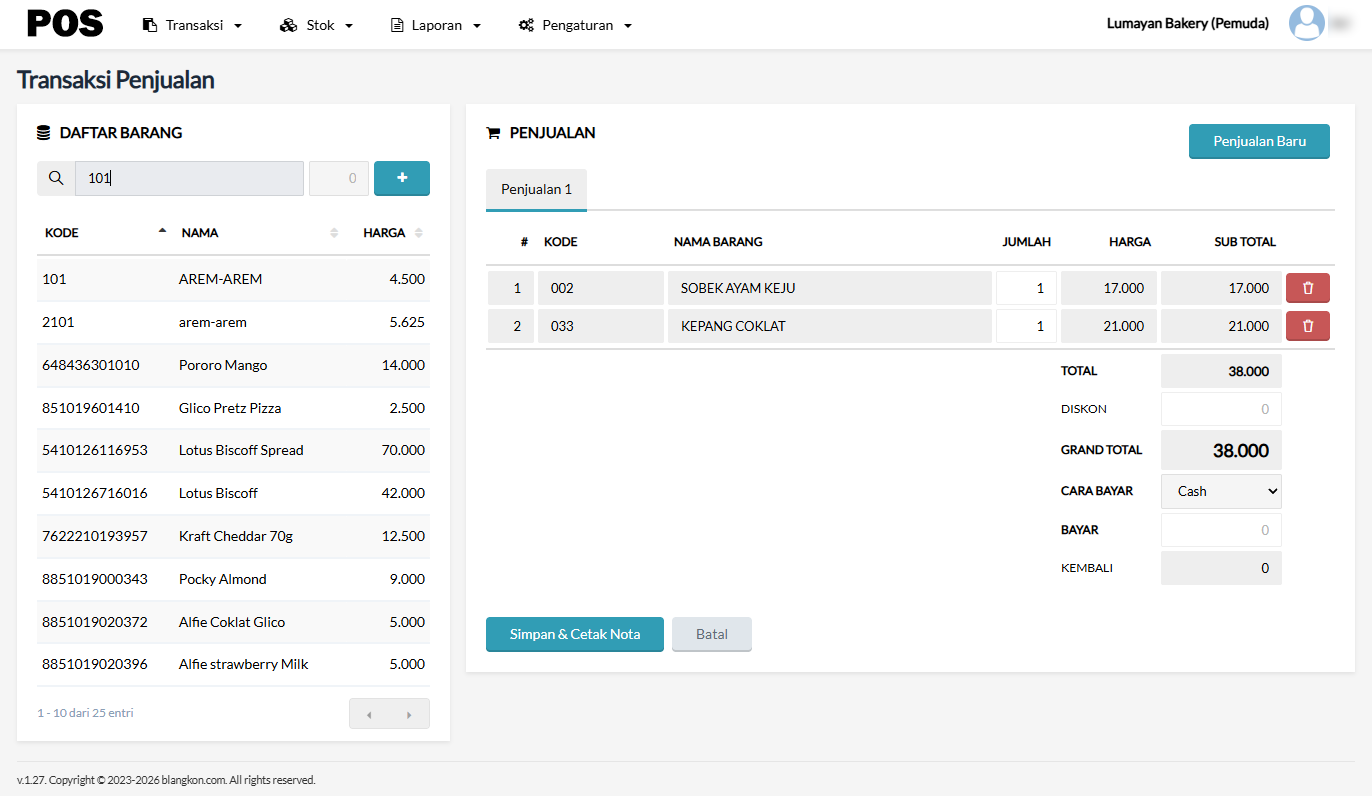
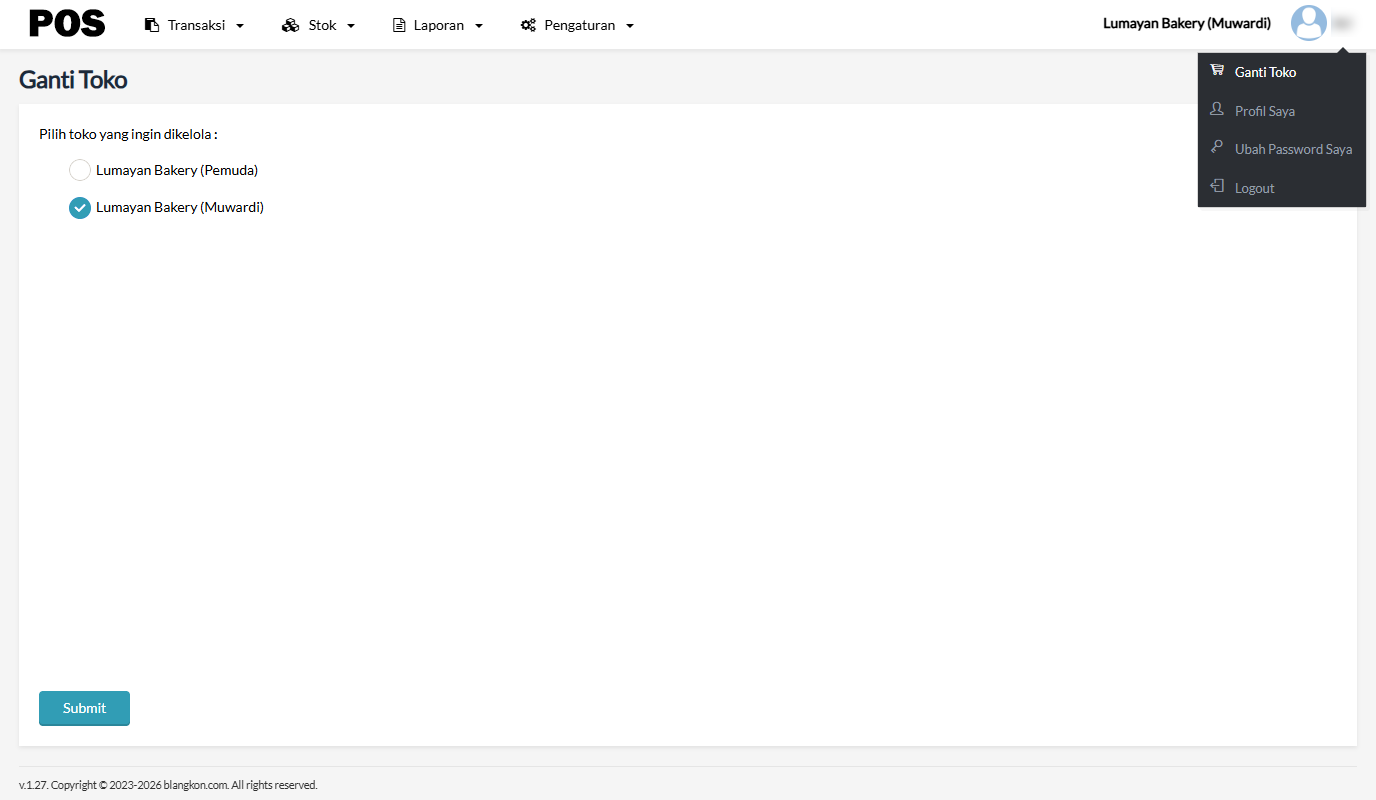
One Application, Two Outlets
The owner did not need two separate applications. One application serves both outlets, while their operational data remains separate.
The owner can switch outlets at any time. When the selected outlet changes, the data displayed throughout the application switches to that outlet in real time.
CASE STUDY
More Than Sales
The existing POS also had workflow limitations. For example, cashiers had to enter memorized product codes to add items to the cart. With more than 700 products, remembering codes was not always practical. The new system allows cashiers to search for products using keywords instead, without having to memorize product codes.
When an item that was already in the cart needed to be added again, the old system required cashiers to find the item in the cart first. The new workflow makes this process more direct.
The cashier workflow is also designed for speed, with keyboard shortcuts allowing transactions to be processed without relying on a mouse.
Small workflow improvements like these can make a significant difference during daily operation.
The system also introduced expense recording. Previously, daily expenses were recorded manually in a book. The new workflow allows expenses to be recorded directly in the system, making them easier to track alongside daily operations.
CASE STUDY
From Transactions to Orders
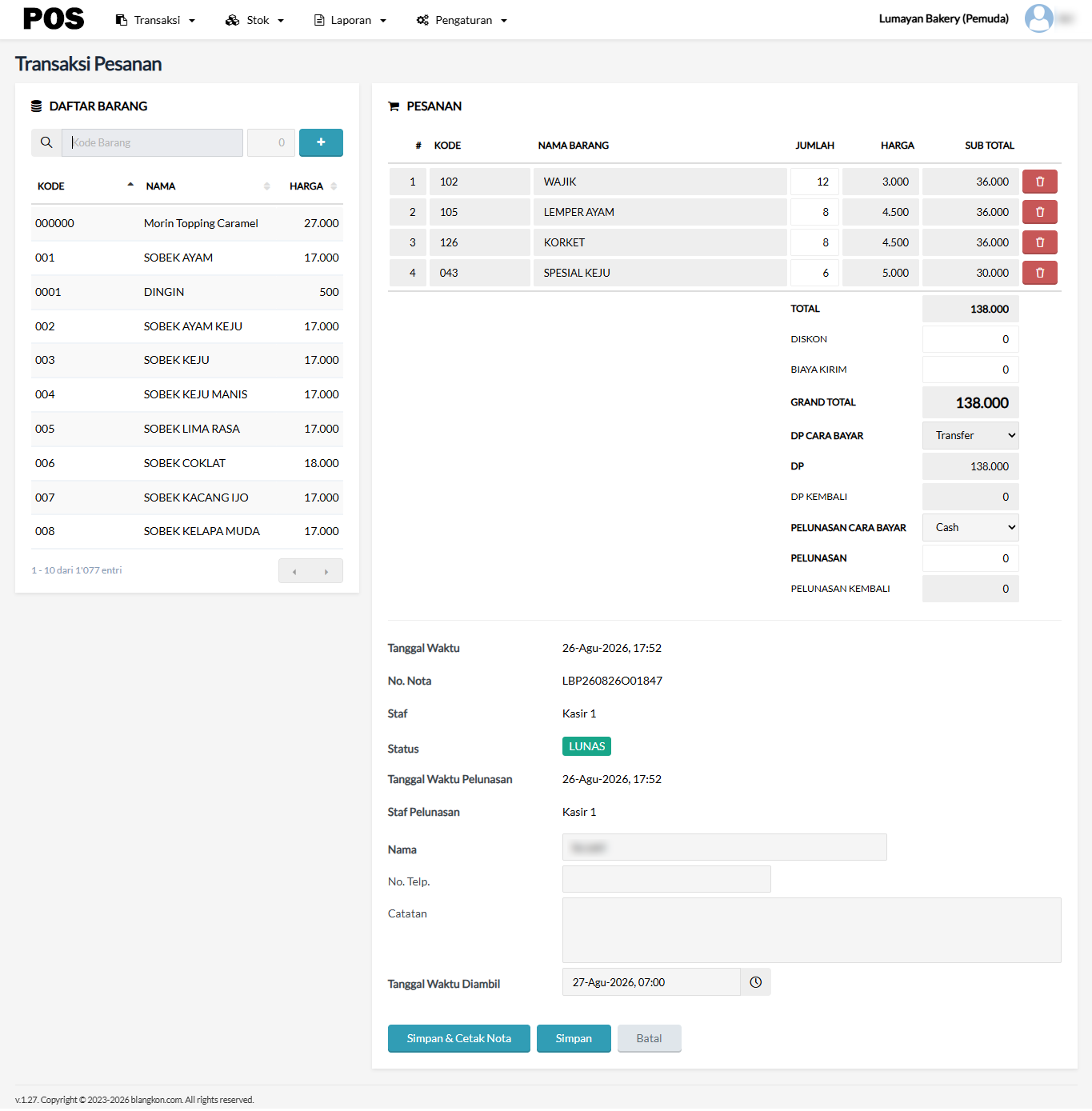
A bakery also receives orders that are created today but collected on another day. A normal immediate-sale transaction was not enough for this workflow.
The order workflow includes information such as down payment, remaining payment, customer name, contact number, pickup date, and notes, while keeping the interface familiar to the transaction screen.
CASE STUDY
Closing the Day
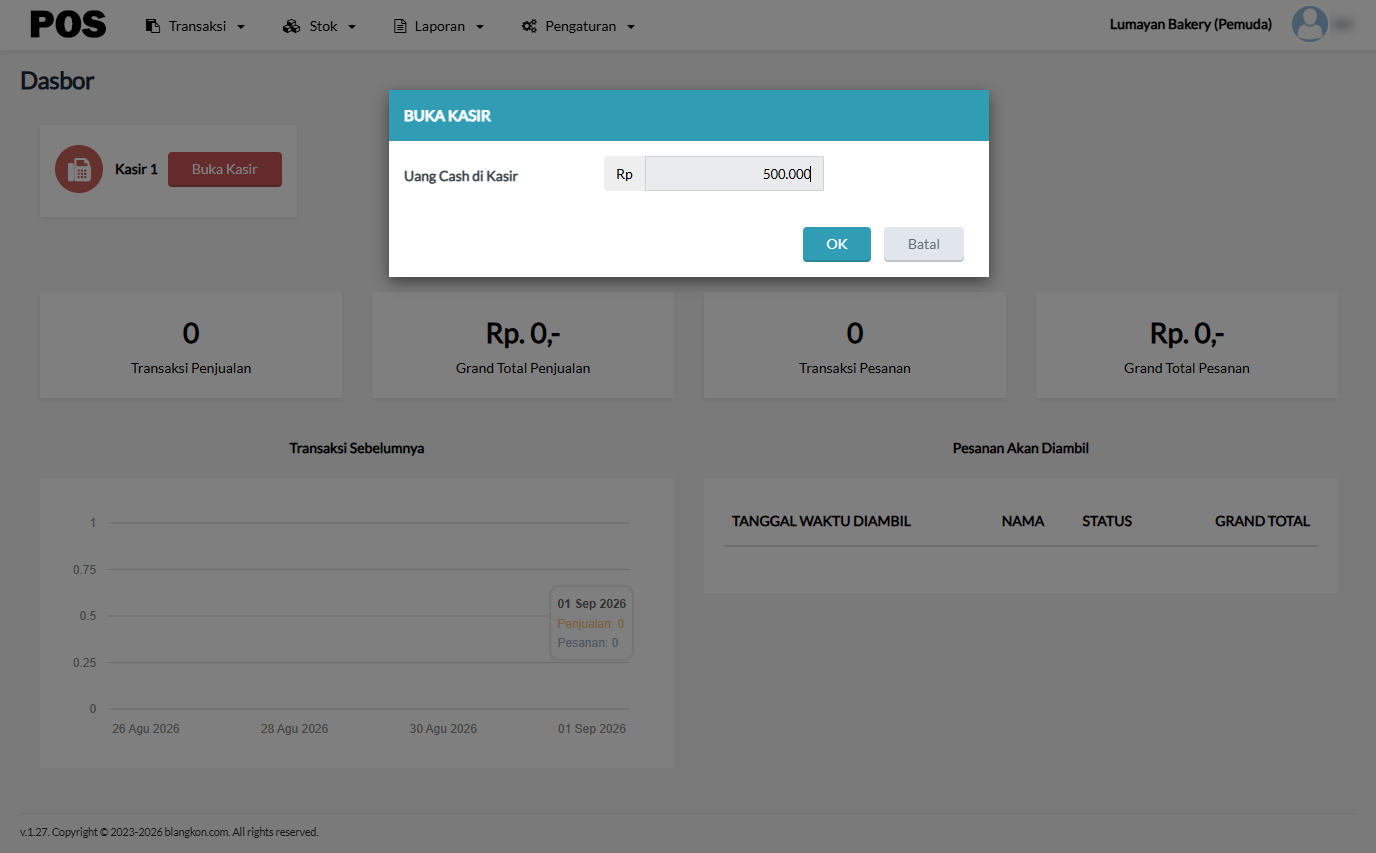
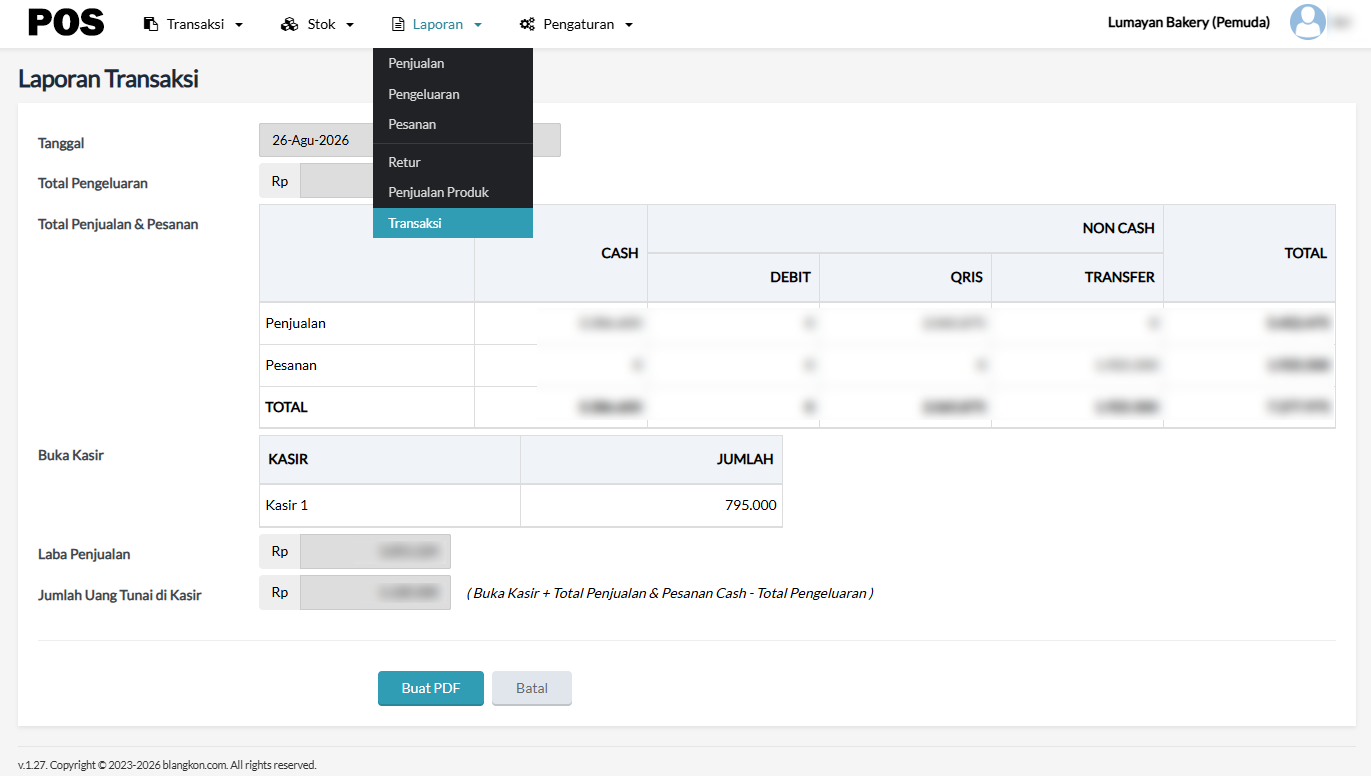
Every evening after the store closed, the owner had to manually count the cash because the cashier was an employee.
From that discussion came the cashier opening and closing workflow. At opening, the cashier records an amount used for change. At closing, the system calculates the day's expected money across cash, debit, QRIS, and other payment methods, taking into account recorded expenses and the opening amount of cash.
CASE STUDY
Orders Need to Be Accounted For
Daily reporting also needs to account for payments associated with orders. The system distinguishes activity such as an order created today, a down payment received today, and a remaining payment received later.
This makes the daily figures reflect the payments that actually occurred that day rather than treating every order as an ordinary immediate sale. For example, if an order was created on a previous day and the remaining payment is received today, it is included in today's report.
CASE STUDY
Real-Time Visibility
The dashboard provides operational information such as sales, transaction counts, daily turnover, and sales trends. Because the selected outlet determines the data context, switching outlets gives the owner a real-time view of the selected store.
CASE STUDY
Small Improvements, When They Matter
After launch, the system has received smaller practical improvements rather than major redesigns: allowing custom prices for selected products, resetting all product stock to zero, showing pending orders on the dashboard, hiding selected fields from cashiers, and other small fixes and stability improvements.
The point is not to add features endlessly, but to keep the system aligned with how the bakery actually operates.
CASE STUDY
Web-Based, Built for Real Hardware
The application is web-based and runs on Windows computers, with each outlet using its own cashier setup. I also provided and set up the Windows PCs and cashier peripherals, including barcode scanners, thermal printers, and cash registers, as well as the routers and internet connections. cash registers, as well as the routers and internet connections.
For a bakery with hundreds of products and frequent keyboard-based searches, the computer remains an important part of the cashier workflow. workflow.
CASE STUDY
Connected From the Ground Up
The system is hosted remotely and accessed through a VPN, allowing both outlets to use the same application while keeping their operational data separated.
What began as a need to connect a second outlet became one connected system for sales, inventory, orders, cashier management, and reporting across both stores.
One application. Two outlets. One connected view of the business.
TECHNOLOGY
Built With
Java · Spring Boot · Angular · PostgreSQL · CentOS · VPS · VPN